
-
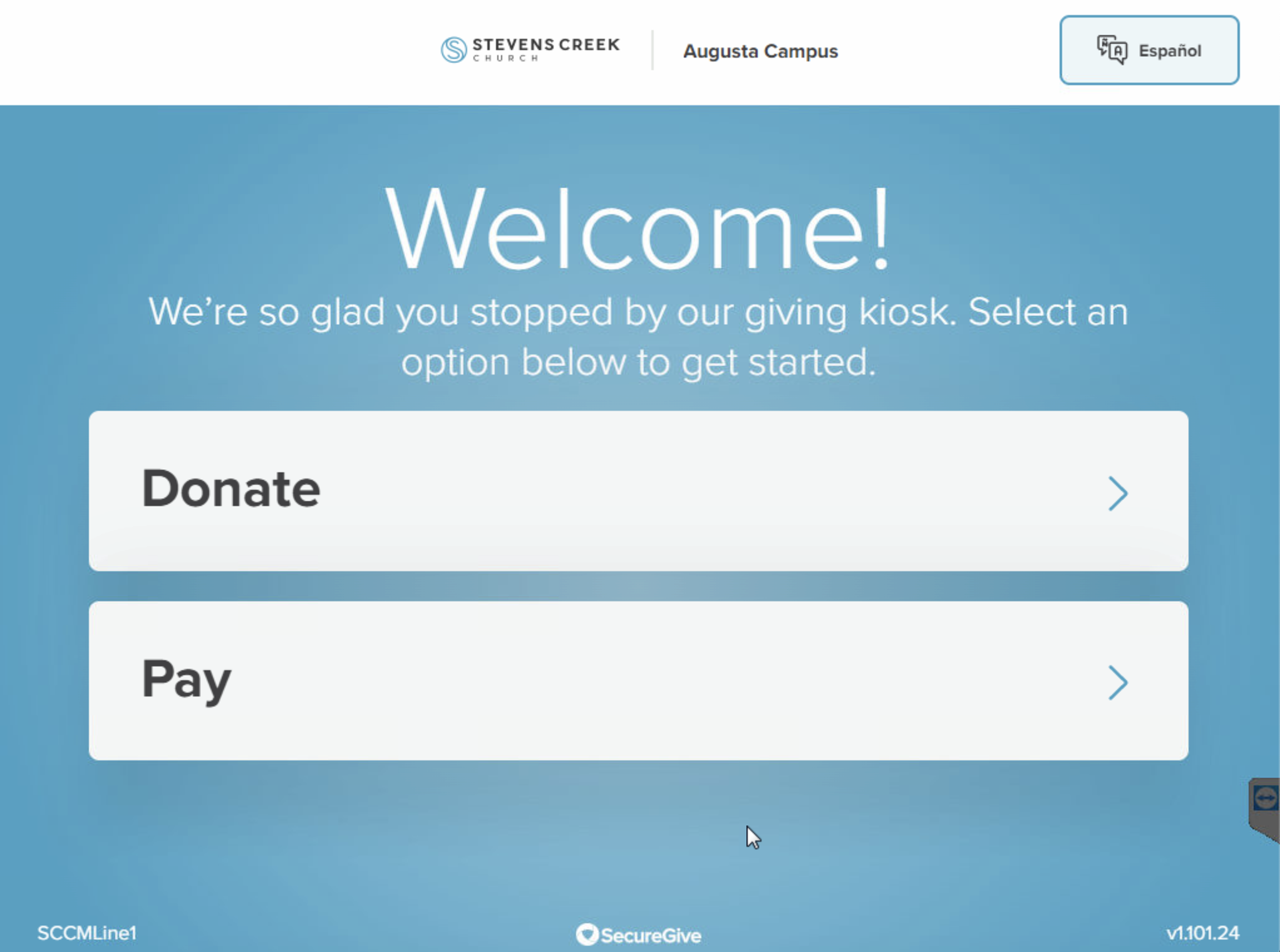
Tap the kiosk app version number (vX.XXX.XX) in the bottom right corner.
-
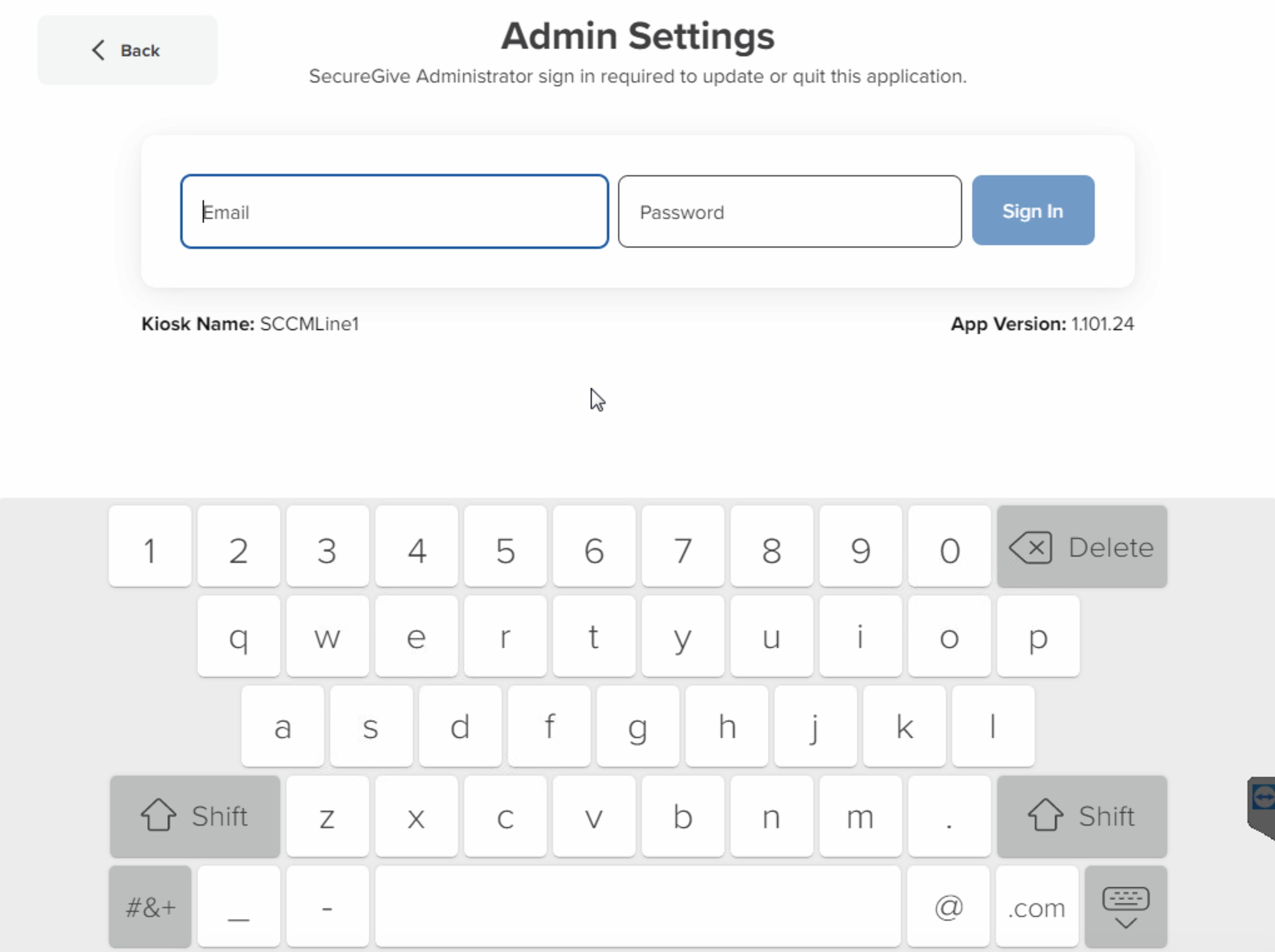
Enter your admin email and password. Then tap Sign In.
-
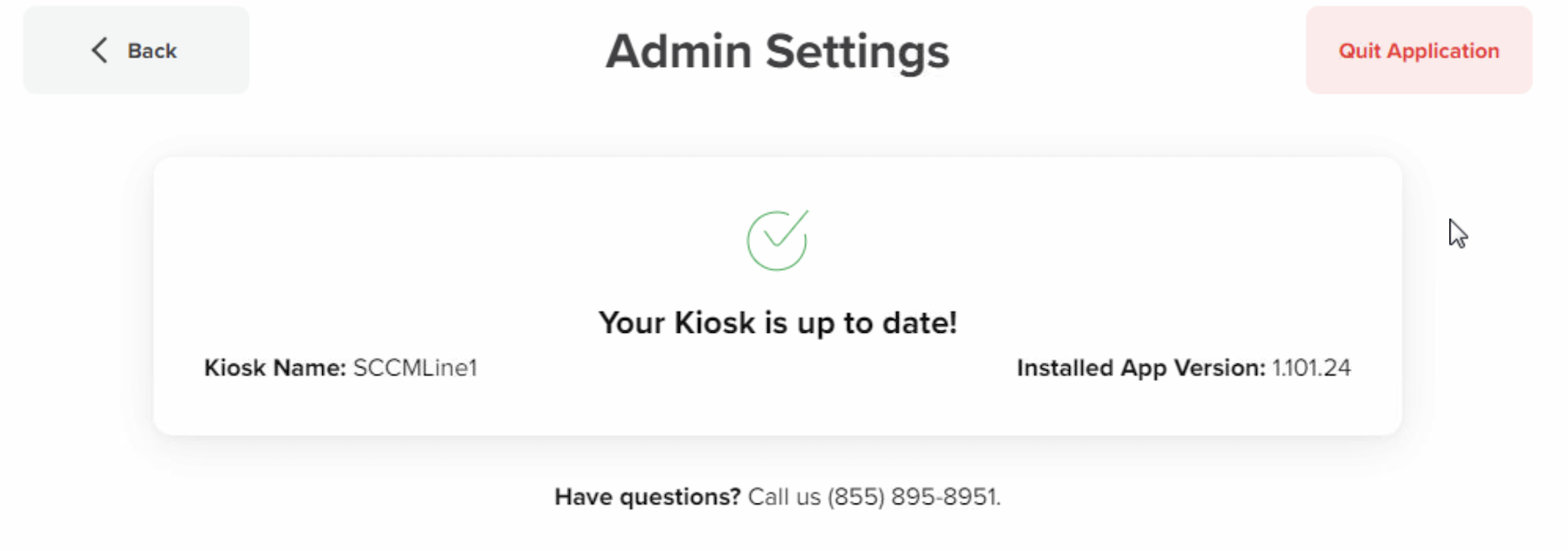
Then tap the Quit Application button to close the kiosk app.
Tap the kiosk app version number (vX.XXX.XX) in the bottom right corner.
Enter your admin email and password. Then tap Sign In.
Then tap the Quit Application button to close the kiosk app.