
To get started, go to Analytics > Dashboard in your admin menu.
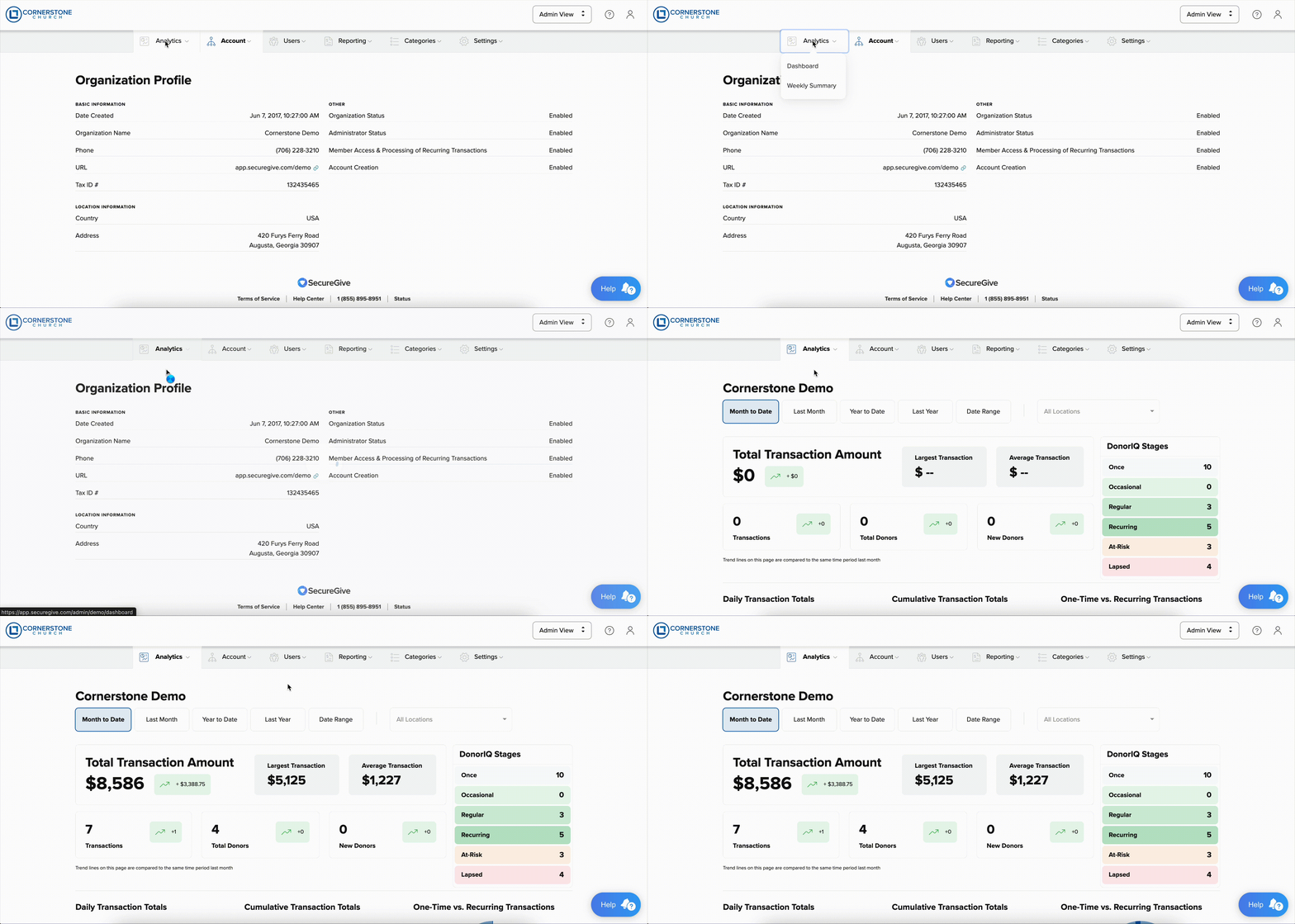
DonorIQ Stages are updated in real time as people donate. To drill down and see who is in each stage, simply click on a row of one of the stages. (I.e. Once, Regular, Recurring...)
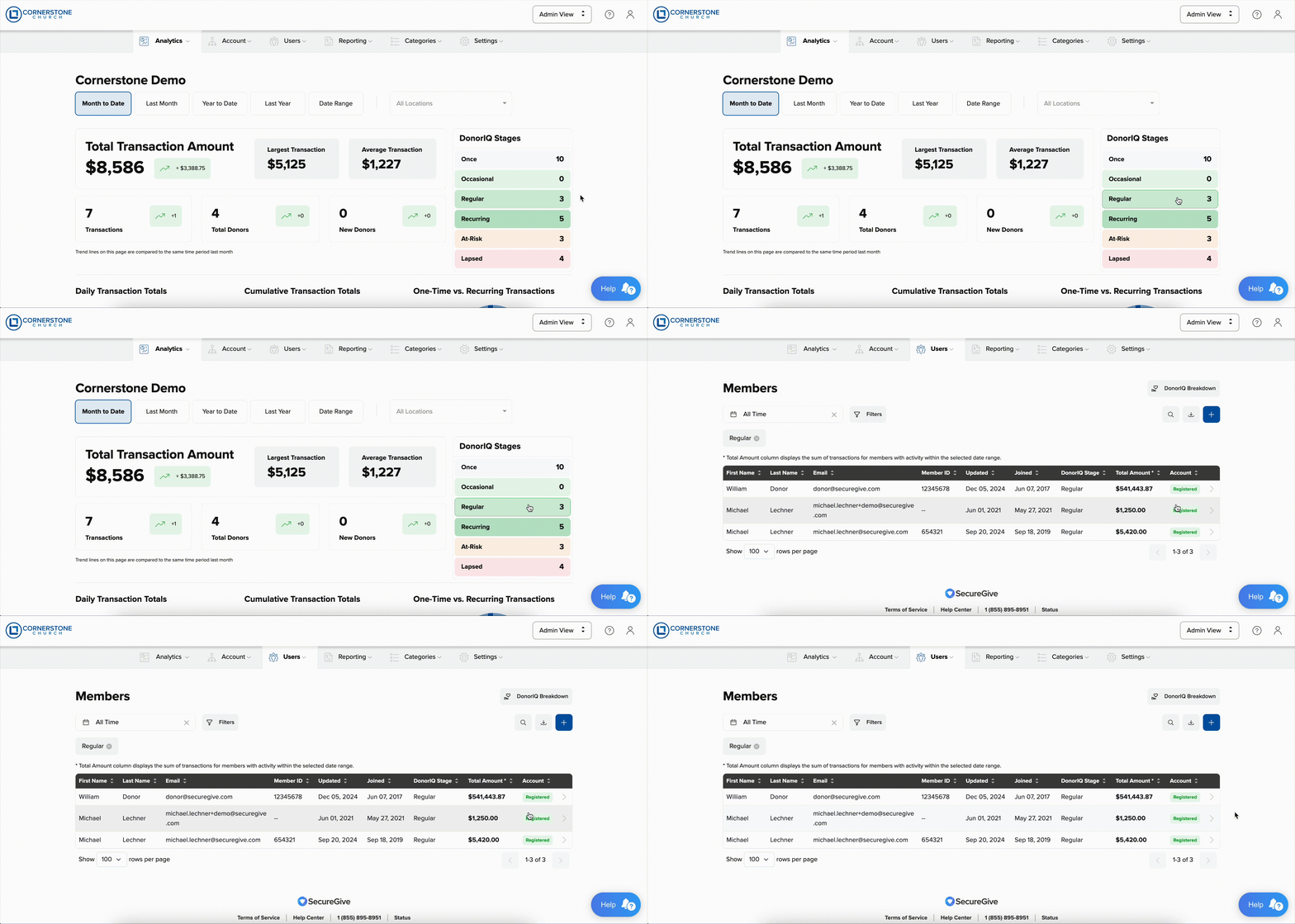
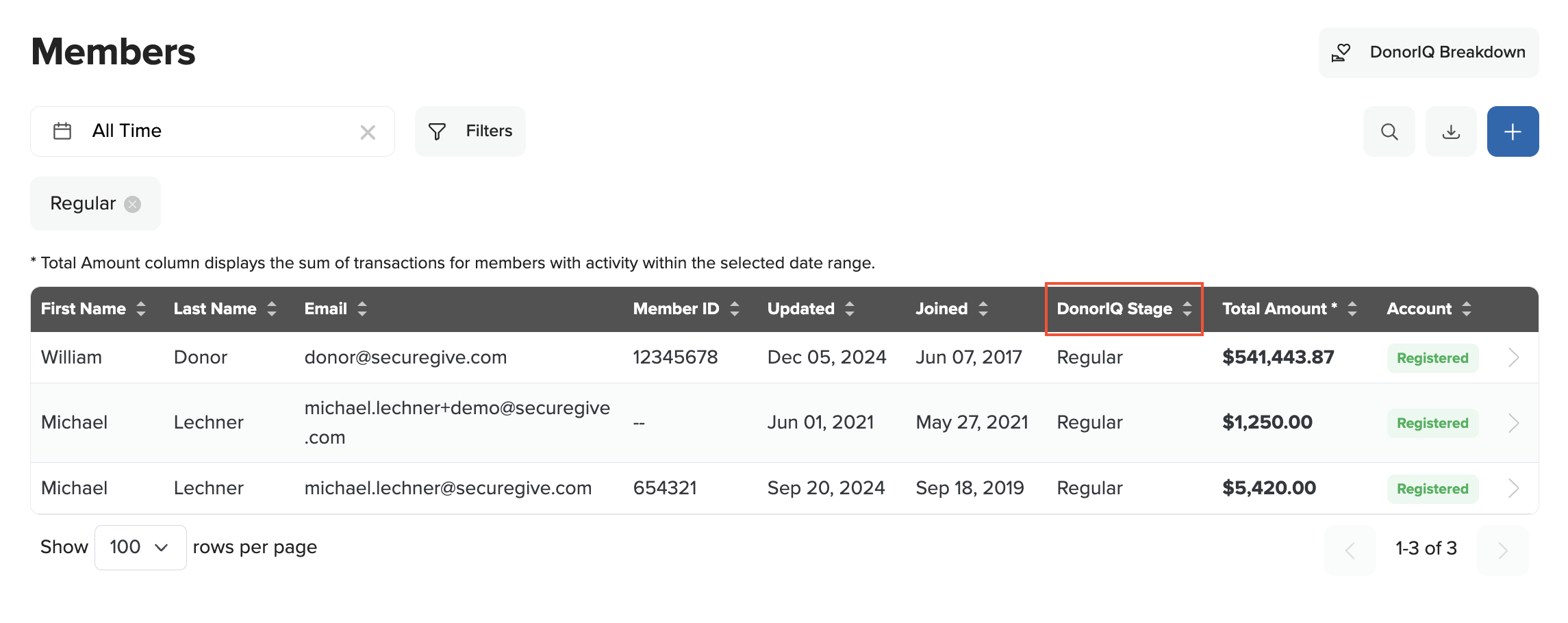
There is now a new column showing the DonorIQ Stage someone is currently in. If this field is blank, that member has never made a donation before.
By selecting the Download CSV option, you can quickly generate an email list to communicate with donors in any stage.
To better understand how a member can change stages, click on the DonorIQ Breakdown button
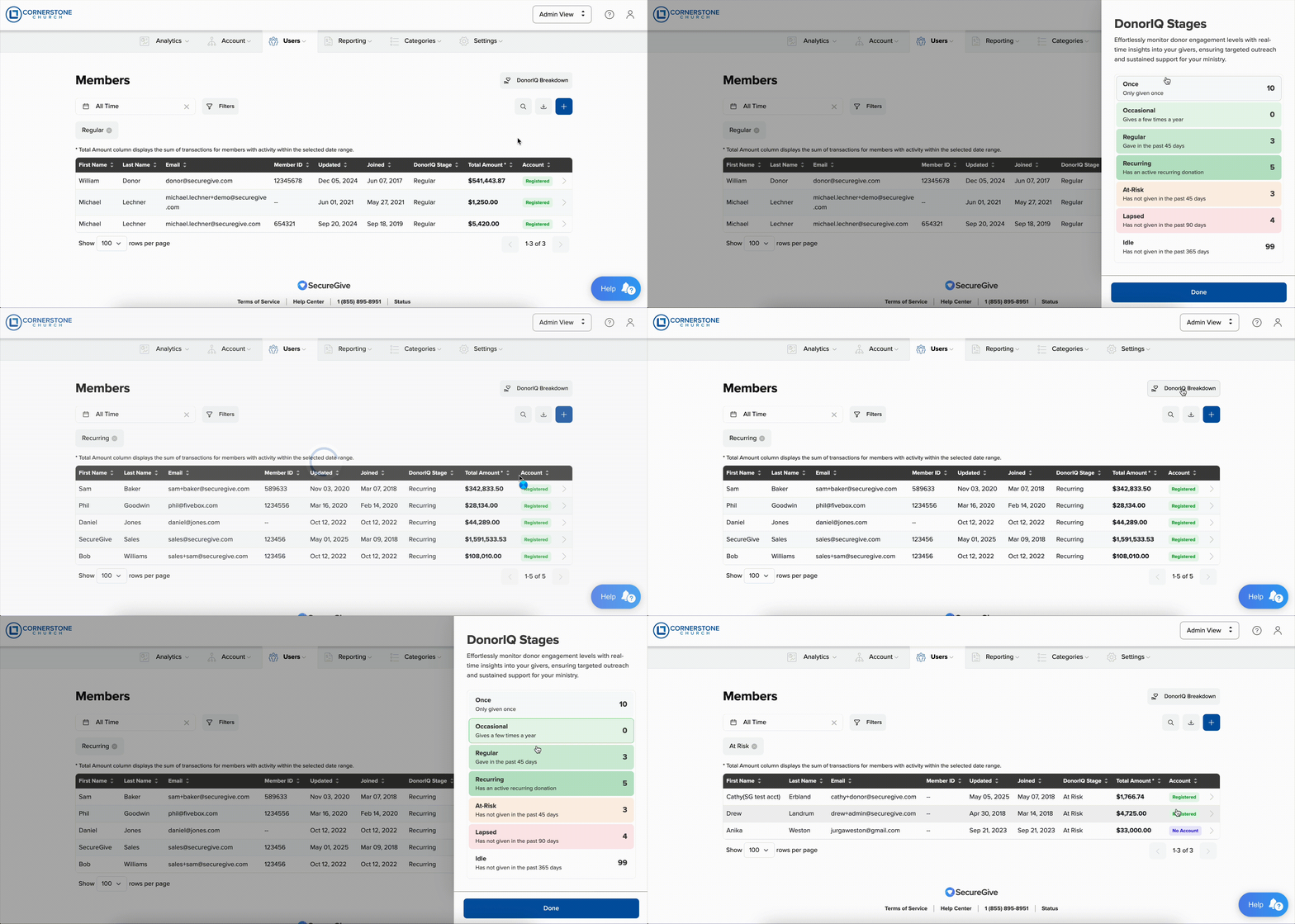
Here you can see descriptions of how a member can move between stages. Just like on the Dashboard, these stages are also clickable so you can quickly filter your members list to the desired stage.