
If a donor needs their transaction receipt to be emailed to them again, you can do that by following the steps below.
- Open the All Transactions page by going to Reporting > All Transactions.
- Search for the transaction and click on it.
- Click the View Details button from the sidebar.
- From the Transaction Details page, click the Resend Email Receipt button
 .
. - From the Resend Email Receipt sidebar, you can confirm that the email is correct, or you can update the member's email if needed. You can also enter an alternate email to send the receipt to.
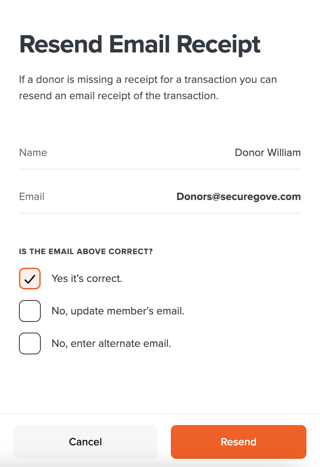
- Click the Resend button to email the transaction receipt to the donor.