
Steps:
-
Close the kiosk app.
-
If you don't know how to close the Kiosk app, then read this Help Center article: Close The Windows Kiosk App
-
-
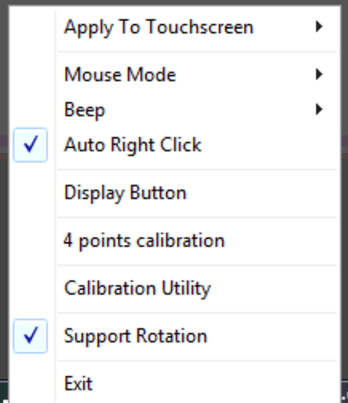
Right-click on the eGalaxTouch icon
 at the right of the Taskbar. You can replicate a right-click with your finger by pressing and holding on the icon.
 -
Choose 4 Points Calibration in the pop-up menu.
-
Tap and hold on each calibration point.