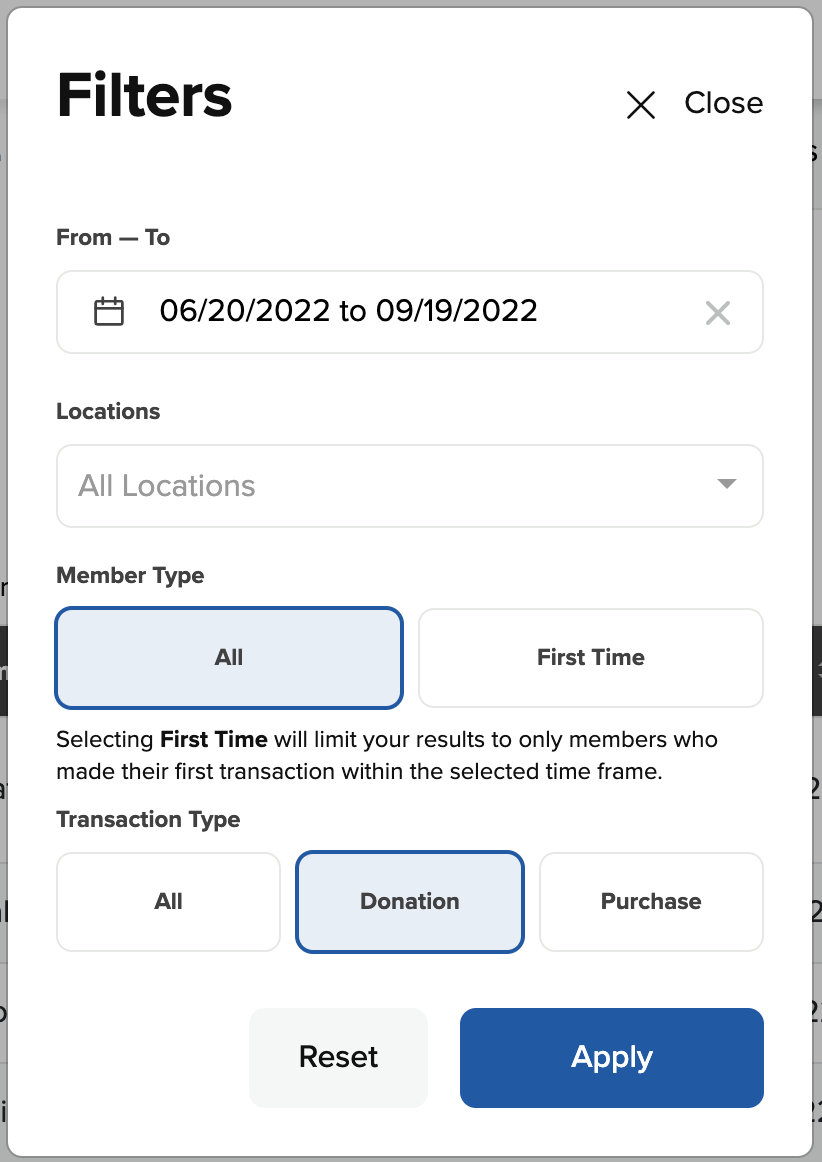
The best way to identify your top givers is by using the Members page in SecureGive.
- Go to Users > Members.
- Click the Filters button.
- Set the date range for when you would like to see your top givers.
- Under Transaction Type, select Donation.
- Then click Apply to close the Filters window and apply the filter settings.
- On the Members page, click twice on the Total Amount header to sort the list to show profiles with the largest total giving amount at the top.