
If the touchscreen on your countertop kiosk is not responding to touch, it may need to be calibrated. Follow the steps below to start the calibration process. Also, you may need to connect a mouse to the kiosk to complete the steps.
Steps:
1. Close the kiosk app.
If you don't know how to close the Kiosk app, then read this Help Center article: Close The Windows Kiosk App
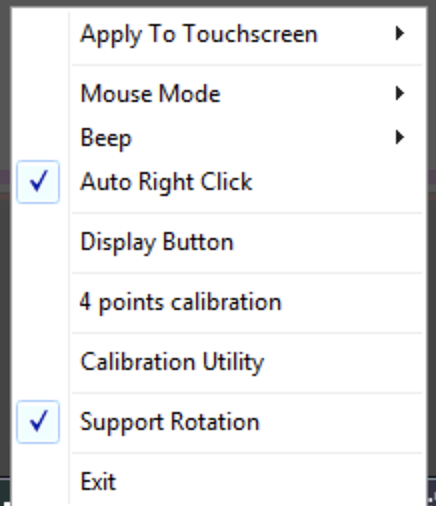
2. Right-click on the eGalaxTouch icon  at the right of the Taskbar. You can replicate a right-click with your finger by pressing and holding on the icon.
3. Choose 4 Points Calibration in the pop-up menu.
4. Tap and hold on each calibration point.