
Returned ACH Transactions or Scanned Checks and Chargebacks
ACH transactions and Scanned Checks can be returned even two weeks or sometimes later after the original transaction occurs.
- Reasons an ACH or Scanned Check can be returned include insufficient funds, invalid account number, invalid routing number, account closed, account frozen, & stopped payment.
Card Transactions can be returned via Chargeback if a donor goes directly to their card issuer or bank and disputes a transaction.
**Please note, recording a card transaction as a Chargeback in SecureGive is NOT the same as issuing a refund through SecureGive**.
Recording the Chargeback does not return any funds to the donor. It simply records that the transaction amount has already been returned to the donor by the bank or card issuer.
**Also note, the return/chargeback record is recorded on the date that you select and cannot be changed after it is submitted**
If you need to refund a donor's transaction, then please visit this Help Center article: Refunding Transactions
If you need some additional help with reconciling transactions, then please visit this Help Center article: Reconciling Transactions
How to record a returned ACH, Scanned Check or a chargeback
If you have an ACH transaction or Scanned Check that is returned or you receive notice of a chargeback from the processor, please follow the steps below.
1. Find the original transaction in your "All Transactions" report and click on it.
2. Select the Edit Transaction button at the top right of the transaction summary screen.
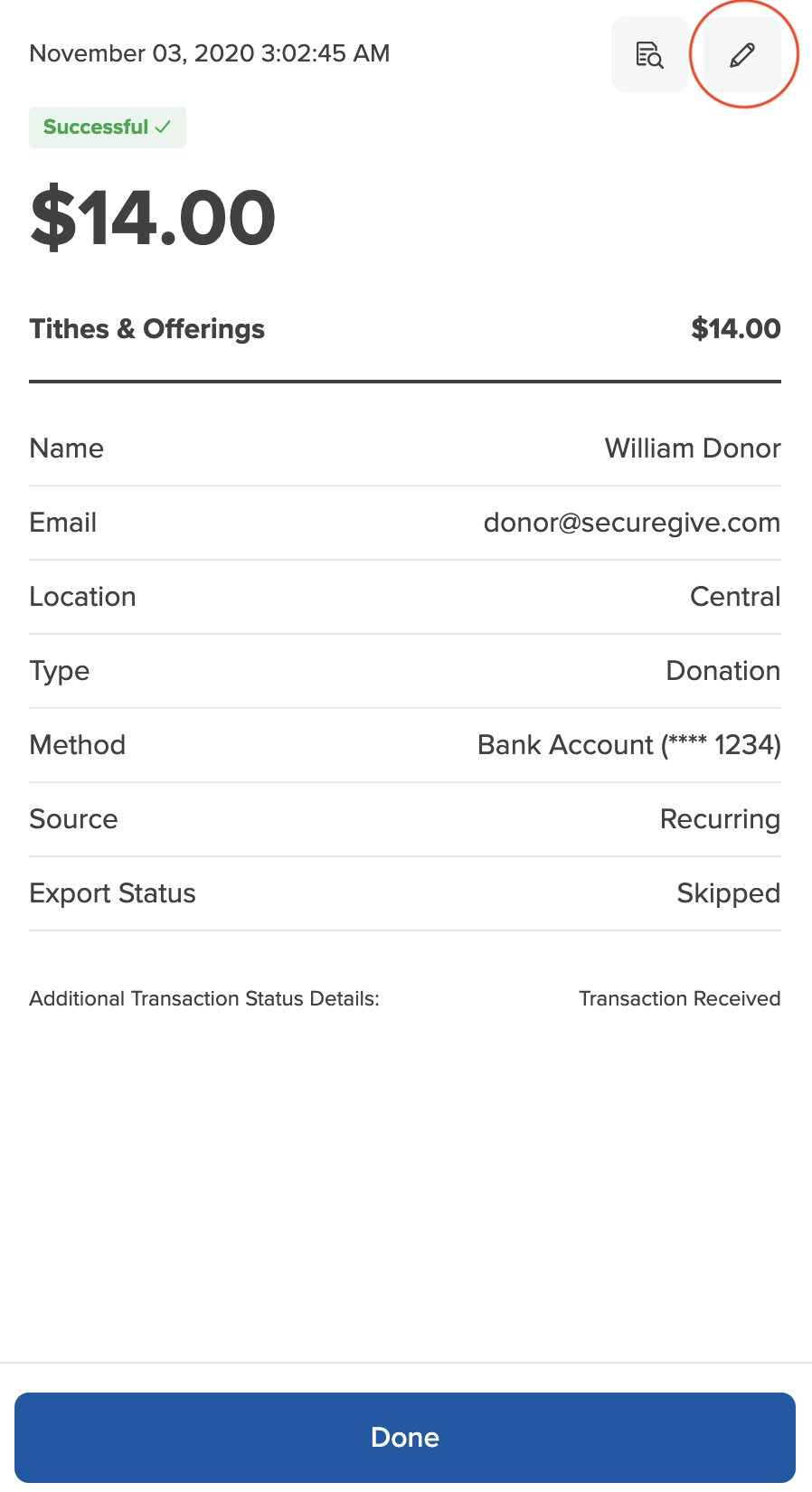
3. Take notice of the gray section at the top of the Edit Transaction screen where it says "Have you received notice of a chargeback or returned/canceled ACH transaction?" Click where it says, "Click Here to Record It."

4. You will need to select the date you would like to record the return on. We recommend marking this as either the original transaction date or the date of the return/chargeback notification.
Then check the box that says, "Yes, I want to record this transaction as a returned/cancelled ACH."
Finally, click the Update button at the bottom.
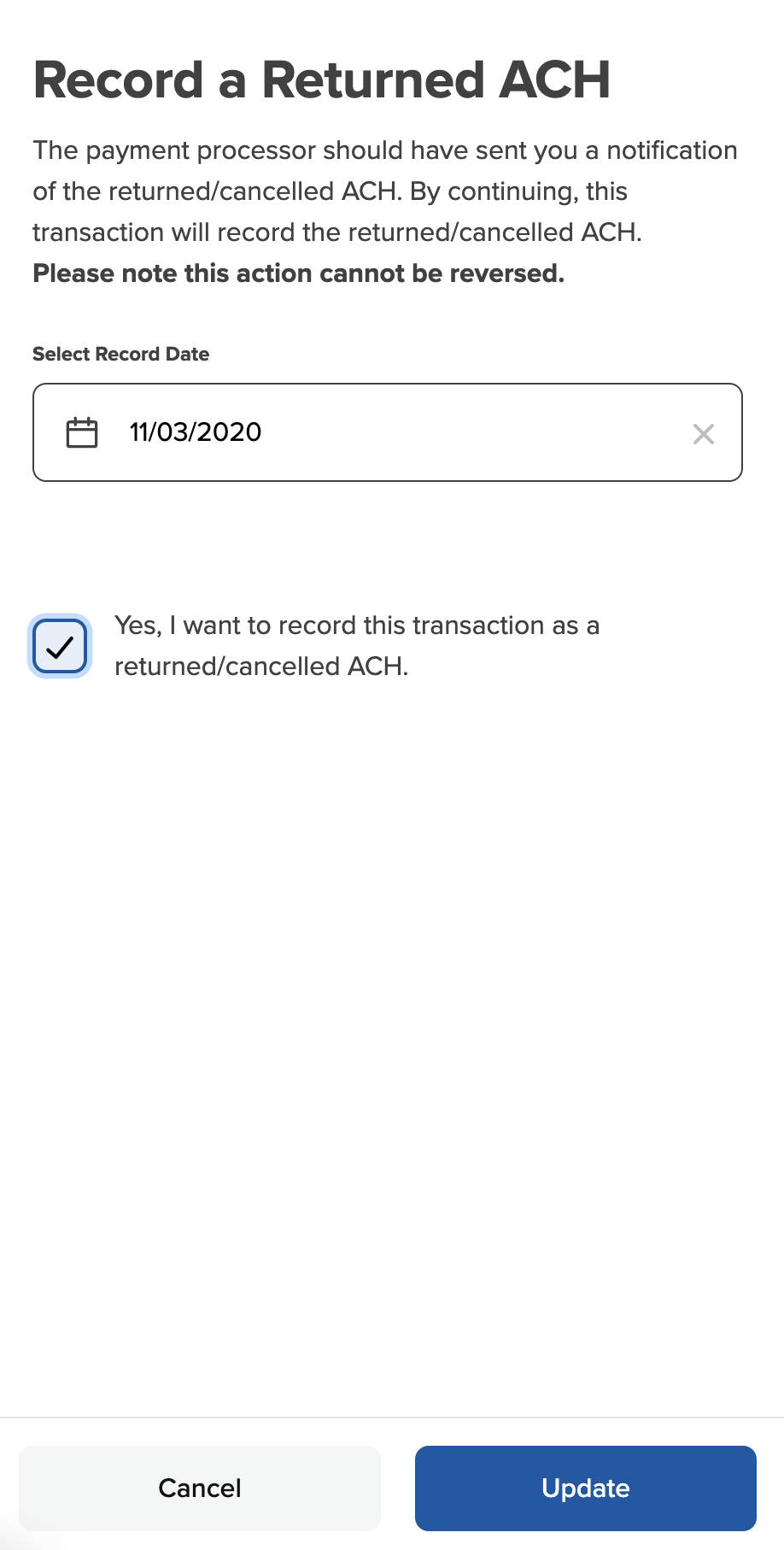
This will add a negative entry to your All Transactions report to note the chargeback or return.
If you have any questions or are not sure if you have a returned ACH or Chargeback, please email care@securegive.com or call our office at 706-228-3210.