
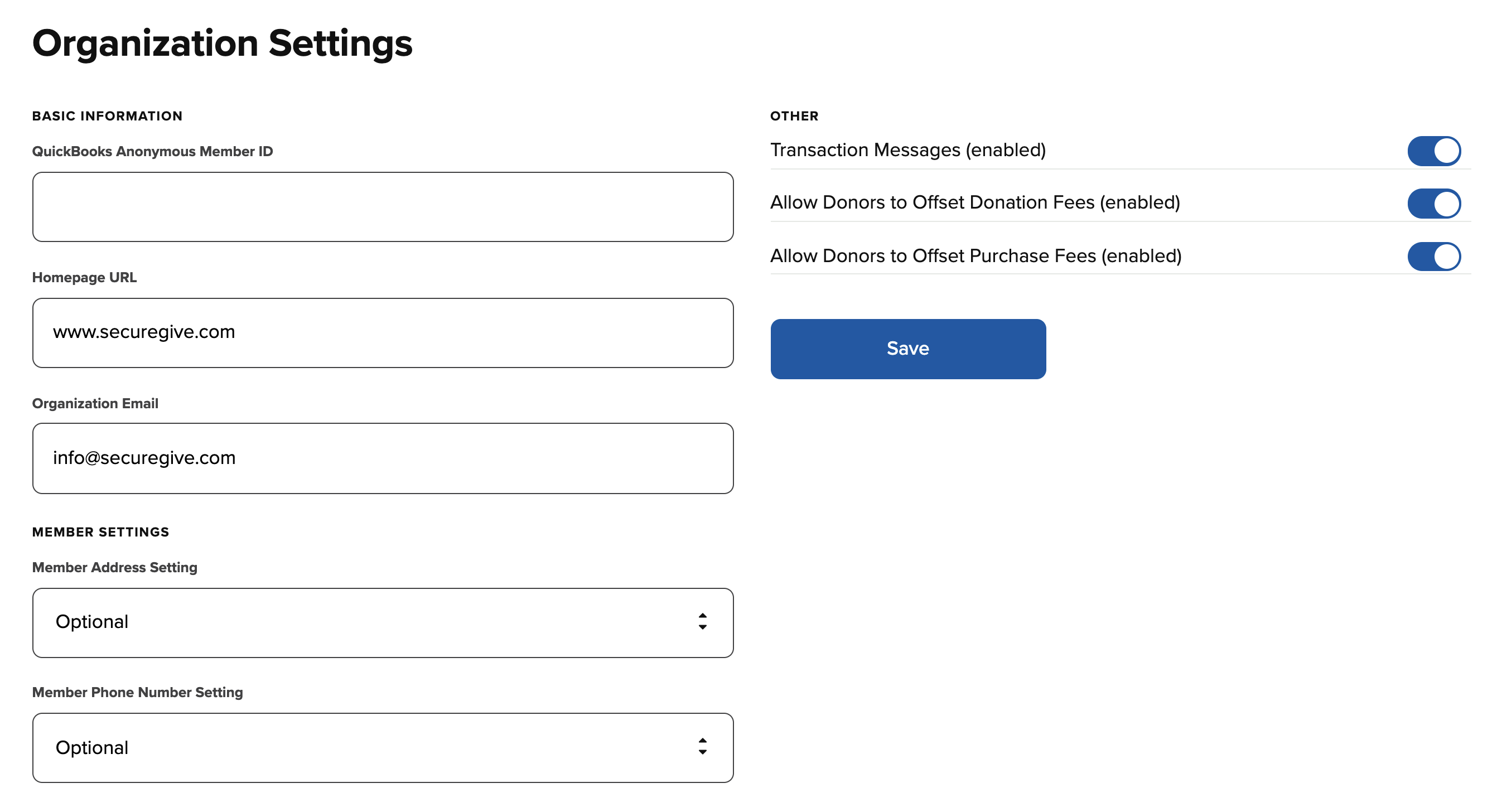
Use your Organization Settings to:
- Enable/Disable "Transaction Messages"
- This turns on/off the ability for your donors to leave messages with your transactions
- Allow donors to offset donation and purchase fees
- You can find additional info about the offset transaction fees feature by visiting the Help Center article HERE.
- Connect your Anonymous Member ID
- If your donor management software uses member IDs, you can connect your anonymous profile from here. (Your anonymous member ID is found in your donor management software)
- Enter your HomePage URL
- If you would like your donors to be directed to somewhere other than the SecureGive login page when they sign out, you will enter that URL here. If you leave this blank, it will default to your organization's SecureGive Sign-In page.
- Set your Organization Email Address
- When you donors complete a transaction and receive an email receipt, your organization email address will be included at the bottom and will be the "Reply To" email on those receipts. If you leave this blank, it will default to support@securegive.com.
- Change your Member Address Setting
- When a donor creates an account in SecureGive, they have the option to include an address or not. You can change this setting so that it is required that all donors creating accounts have to include an address, or you can make it hidden which will completely remove the address blanks when creating an account.
- Please note: This setting is only for donors creating accounts and will not require donors completing guest transactions to enter an address.
- Change your Member Phone Number Setting
- When a donor creates an account in SecureGive, they have the option to include a phone number or not. You can change this setting so that it is required that all donors creating accounts have to include a phone number, or you can make it hidden which will completely remove the phone number blank when creating an account.
- Please note: This setting is only for donors creating accounts and will not require donors completing guest transactions to enter a phone number.